
Are your web site visitors clicking on a link and ending up with a dreaded page not found error? Broken links can be a source of frustration for your website visitors and can actually impact your SEO efforts. Sites with a lot of broken links may be considered old and no longer maintained and this… [Read More]
3 Steps for Creating Strong Passwords

I want a password that is easy to remember and type. That’s exactly the kind of password that hackers like. So, say goodbye to lame passwords and follow these steps in creating strong passwords. 1. Think of a phrase or saying that is easy for you to remember. As an example, let’s use “I Like… [Read More]
Adding an XML Sitemap to your Website
XML sitemaps are a great tool to help ensure that your entire website gets crawled and indexed by search engines. An XML sitemap is hidden from your website visitors and is different than the sitemap that you provide for website visitors. A visitor sitemap is typically an orderly index of all your pages and is… [Read More]
Preventing Brute Force Attacks
This week one of my client’s WordPress was a victim of a brute force attack. Luckily the client had a good password but the sheer number of login attempts caused the web host to suspend his service because of Terms of Service (TOS) violations. His website was using over 80% of the servers resources and… [Read More]
Sharing PowerPoint Presentations as Slideshows
Do you have an awesome PowerPoint presentation or PDF file that you want to share with your site visitors as a slideshow? Of course you can just upload and link to the media, but that means your visitor has to download and view their content on their computer. Wouldn’t it be nice if the PowerPoint… [Read More]
Making a Mobile Friendly WordPress Website

Tablets, Mobile Phones, Ipods, laptops… There are so many ways your clients can reach your website so it is important that your website looks great on all different types of technology. If you have a WordPress website you have several options for creating a mobile friendly website. There are three basic ways you can create… [Read More]
What Happened to my LinkedIn Applications?!
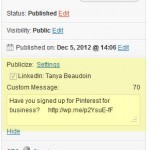
This week LinkedIn updated my profile page to their new format. They have been rolling out the update for several weeks now, so if your profile hasn’t been updated already, you can expect it to be updated soon. The changes to the profile page give a crisp, clean overview of your professional story. The main… [Read More]
Have you signed up for Pinterest for business?

Recently Pinterest introduced new accounts and tools specifically for businesses. Now there are personal accounts for individuals and business accounts for businesses or organizations. Prior to the introduction of business accounts, commercial usage was actually prohibited on Pinterest. The new terms of service for business accounts allows commercial usage for business accounts only. Aside from… [Read More]
3 Tips to Optimize Your WordPress Images For the Search Engines.
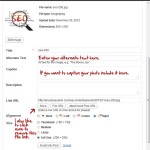
Properly optimized blog images can help your overall Search Engine Optimization (SEO) efforts and can generate traffic from image-based search engines like Google images. If you are ready to ramp up your SEO efforts here are some quick tips on optimizing your images. Use your keywords in your file name. Name your image files using… [Read More]
FREE Social Media Plugins for WordPress

Promoting your WordPress blog is essential to building readership and increasing search engine rankings. I have pulled together some of my favorite WordPress plugins that make managing your social media marketing efforts a little easier. I have identified four main areas of social media marketing that you need to focus on: Automating your social media… [Read More]
- 1
- 2
- 3
- 4
- Next Page »


