Oh!No! You accidentally deleted or over wrote your WordPress page or blog post and lost all your content and now you are panicking wondering how to get it back.
Don’t fret! There is a super easy way to recover your WordPress page content or blog post to an earlier version of the page. While in the edit page or post screen, scroll down and you will see a page revisions section.
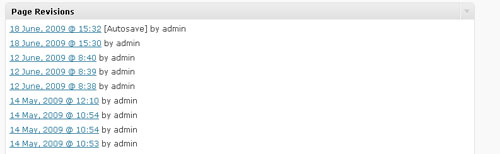
Select a revision date (by clicking on it) prior to when you lost your content or made your unwanted changes.
This will take you to a page that shows the last version of the page in HTML. Just ignore that HTML gobbly-gook and scroll further down. You should see a whole bunch of restore dates.
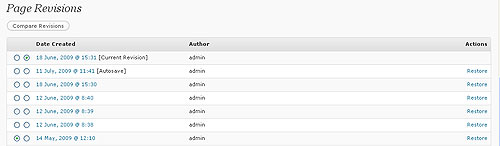
Select the date that you want to restore and then click the restore link and say the magic words, “Alla-Peanut-Butter Sandwiches!”. And Presto! Your content is back, baby!


